g-speak: an AI agent for understanding LabVIEW code
I use LabVIEW a lot, and its graphical nature has its ups and downs. The upside is that it makes a certain kind of system development extremely straightforward and intuitive: state machine programming with certain control flows, real-time programming, FPGA programming, and so on. The main downside, which has become salient in recent years, is that this graphical environment is hard for the usual coding agents to access, both in terms of their training and their code generation. Computer use with traditional coding agents has gotten better, but it's still a very inefficient way to interact with LabVIEW for agentic purposes.
Luckily, NI has been working on Nigel, which looks promising, and Jake AI from JKI is a parallel effort that could be promising too. In my own testing of some of these tools, though, I found that they aren't quite at the level of code analysis just yet, and Nigel has only just started getting into the code generation side of things.
Why I built it
I figured that with some of the AI coding experiments I've been doing, I could throw my hat into the ring: a little experiment to build a coding agent that can at least understand LabVIEW code, and understand it pretty well.
The real benefit of coding agents, when it comes to understanding codebases, is that they can make connections across several orders of leaps of logic. They have an agentic relationship with the code, where they can analyze a function, recognize that it's impacted by another function, and take the initiative to go read that other function, and so on. That's what makes them so much more powerful running directly on our own computers, rather than being question-answer bots accessed over the internet on a site like chatgpt.com.
I figured that if there were a way to give a coding agent visibility into the bones of a VI file, it would, based on the progress that's already been made with coding agents generally, have the ability to do this for LabVIEW too. To that end, I explored various tools that could give a coding agent this kind of visibility, and landed on pylabview and GPreview, wrapped up into a coding agent I'm calling g-speak, built as a fork of OpenCode with LabVIEW-specific capabilities baked in.
Try it yourself
This is an early, informal experiment, so expect rough edges. Download the version for your OS, no installation necessary. Use of g-speak is permitted for non-commercial purposes only:
- Windows: g-speak-windows-x64.zip
- Linux: g-speak-linux-x64.tar.gz
To run it:
- Unzip the download anywhere. It's self-contained, nothing to install.
- Open a terminal in a folder with some VIs in it (or a whole LabVIEW project).
- Run
g-speak.exe(Windows) or./g-speak(Linux). The first time, it'll walk you through connecting an AI provider: OpenAI, Anthropic, whatever you'd normally use. - Ask it about your VIs, in plain English.
What it can help with
The result is something that lets you explore spaghetti code and understand what's hiding behind it. It doesn't let the agent write code, only understand it, but understanding code at a high level is powerful on its own.
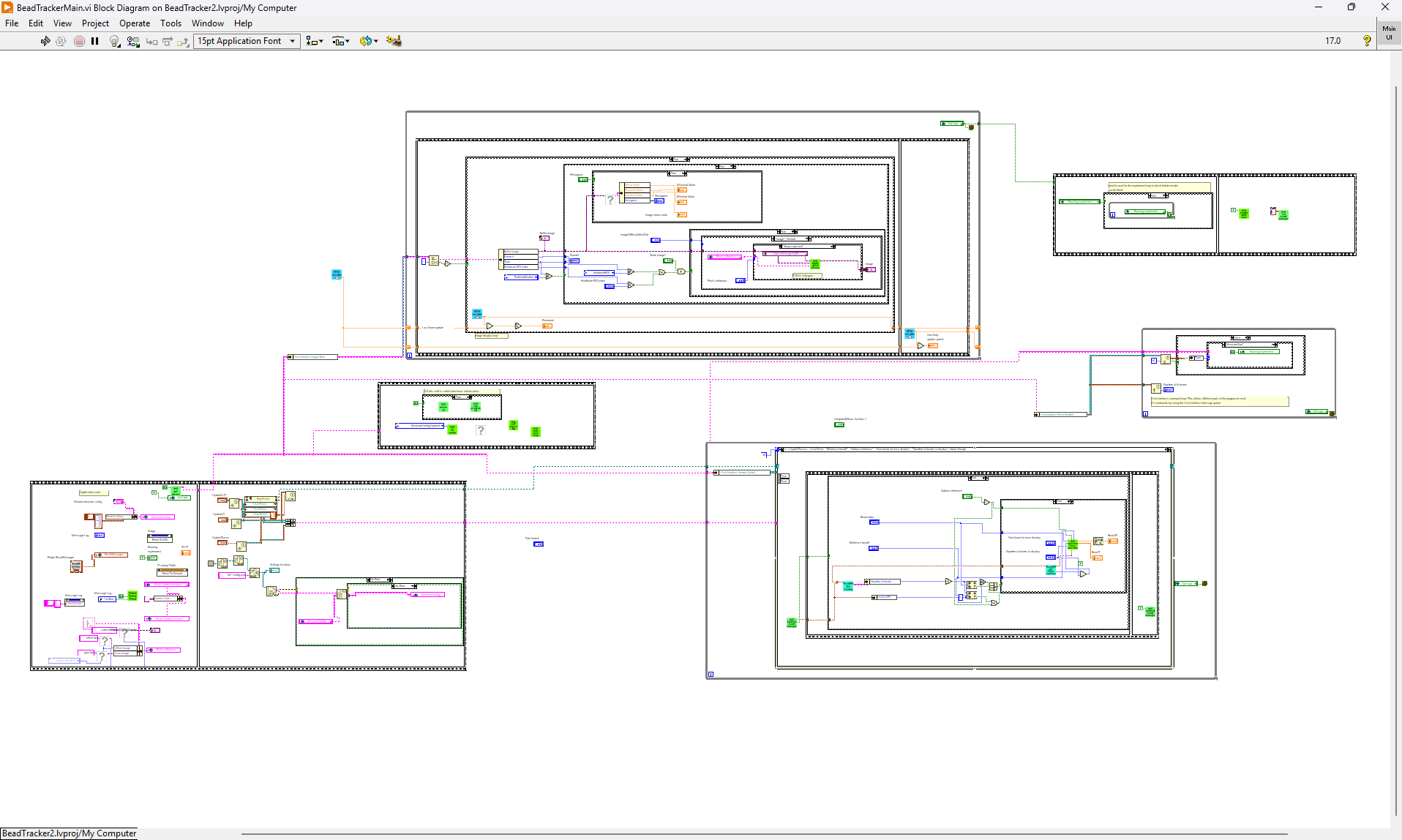
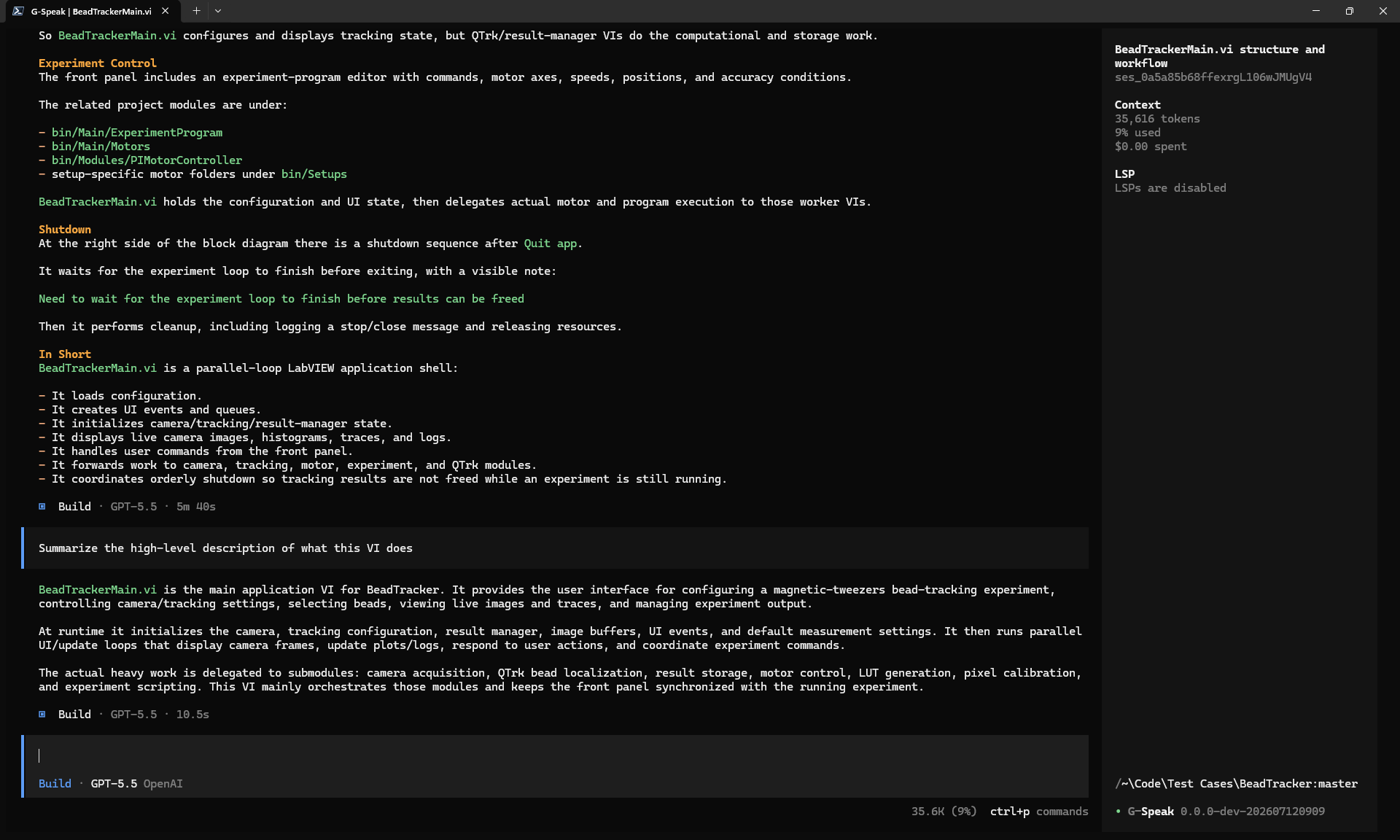
g-speak turning an undocumented, tangled block diagram into a clear picture of how the VI actually works.
It's also useful for debugging: part of debugging is figuring out the second and third order effects of the various components in your code that could be causing something unexpected. Where is this failure mode originating from? Where could it be originating from?
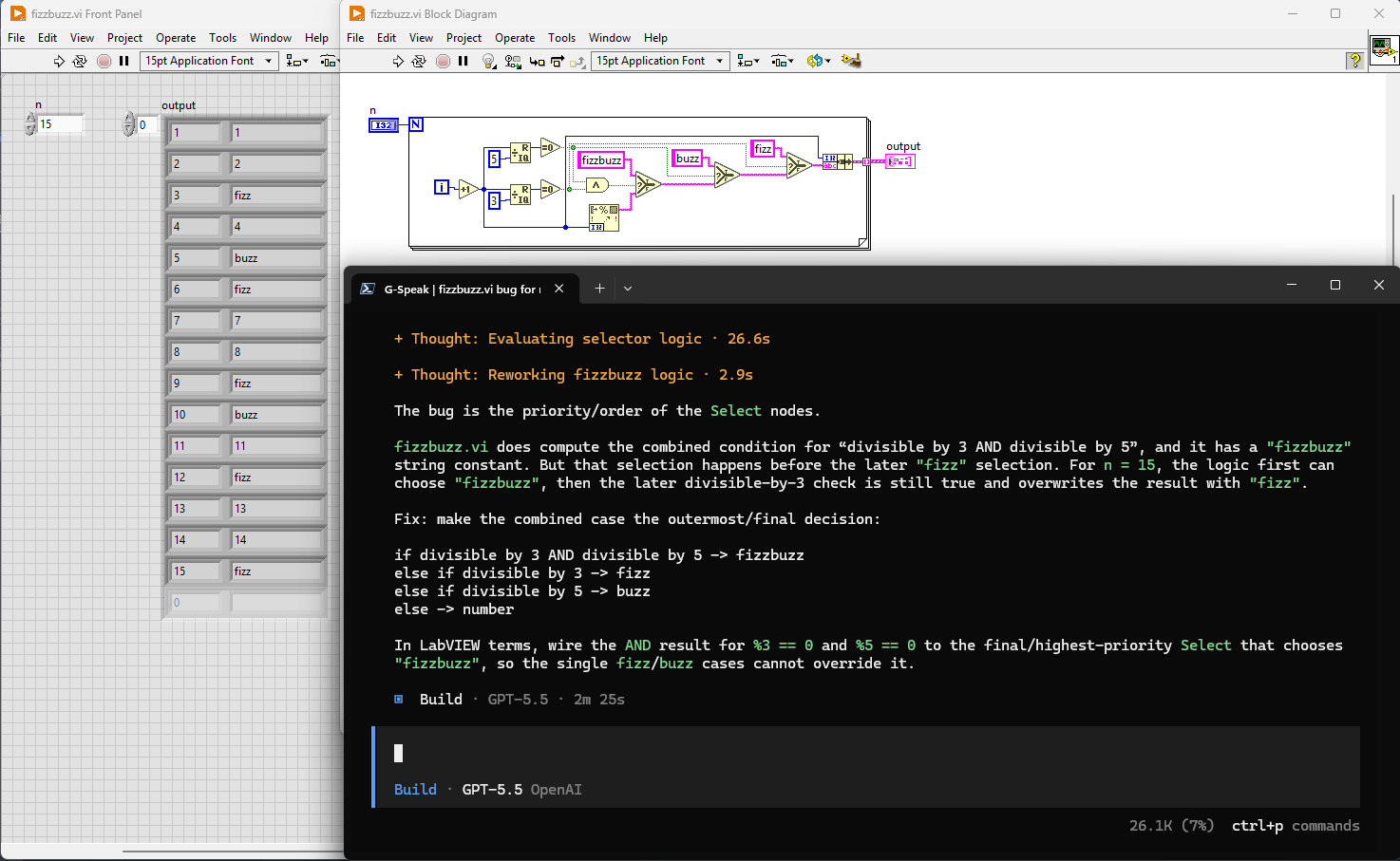
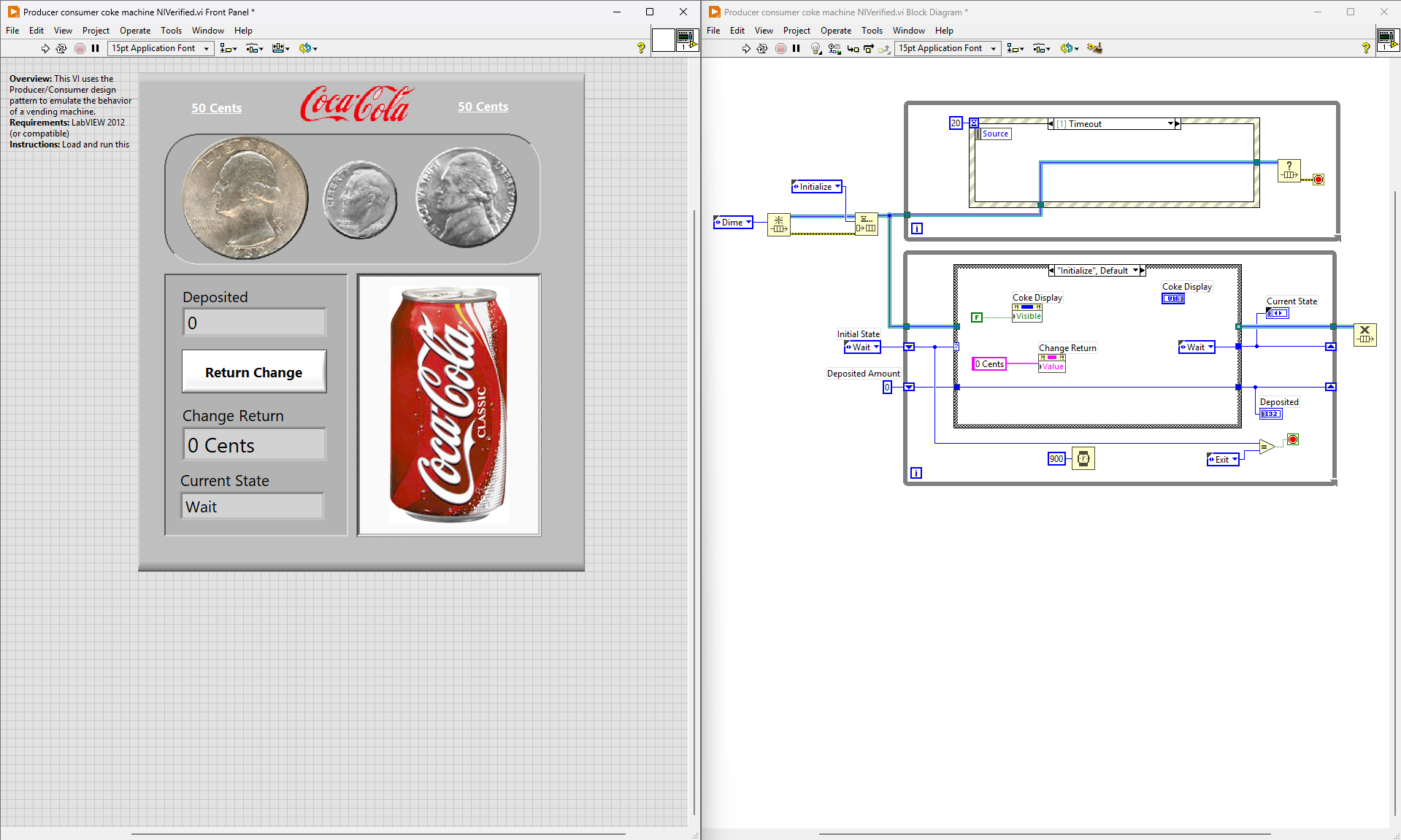
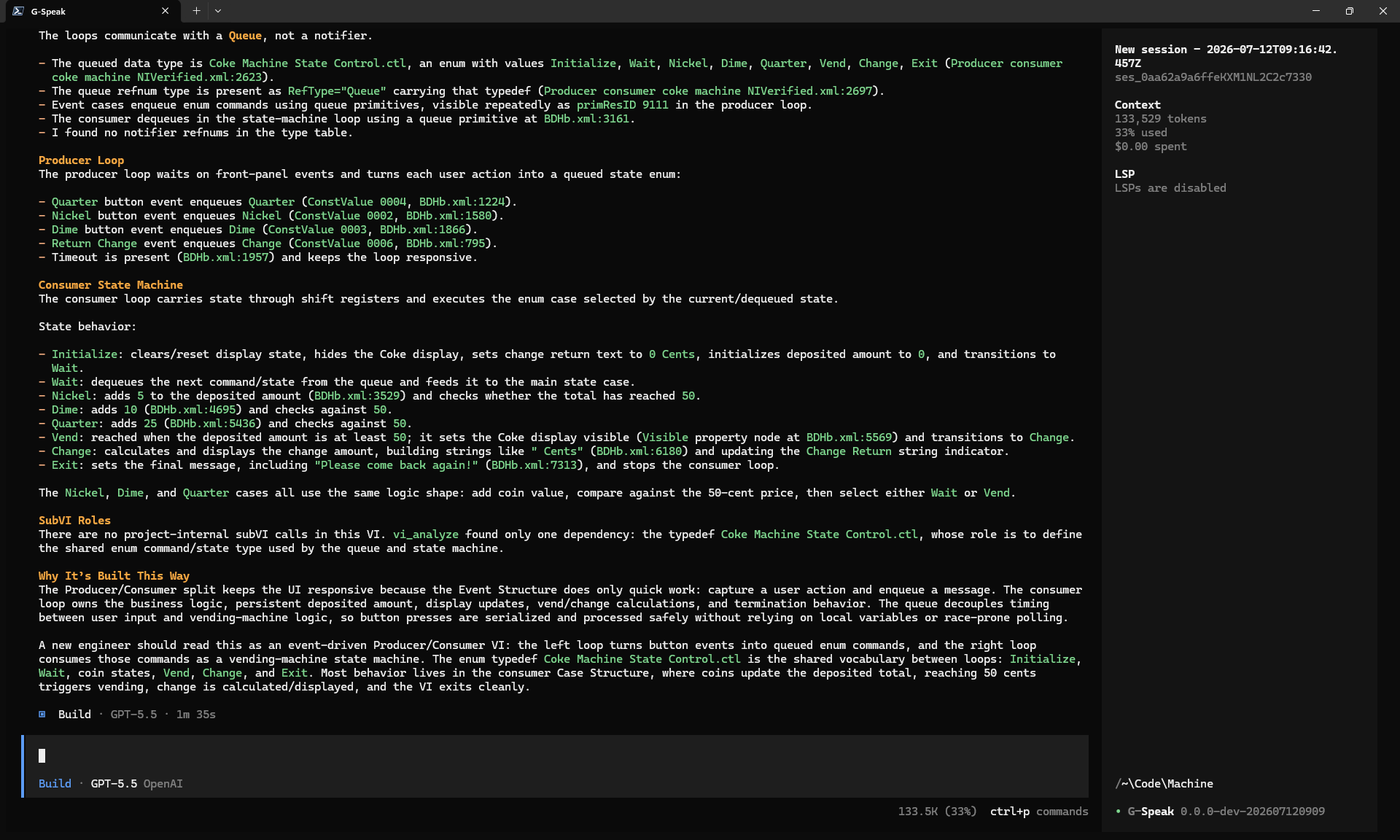
g-speak reading a queued message handler VI and explaining why it's built the way it is.
Giving agents a way to see VIs
I used Claude to extend pylabview so it had visibility into a broader range of LabVIEW file types, then built an agent skill to help the agent understand what those files actually mean once they're converted into XML.
After that, I gave the agent GPreview, a tool I'd previously built that converts a VI file into an interactive HTML file. Coding agents already understand HTML very well, and can explore an HTML document to understand the media inside it, including images. Effectively, this gives the agent the ability to do a kind of computer-use analysis of a VI without ever opening the LabVIEW dev environment or clicking through to switch between case structures. It can just see everything at once, in a format it already understands.
What g-speak is made of
Right now, g-speak is basically three things working together: an extended pylabview for reading a VI's internals, GPreview for seeing the VI visually, and a LabVIEW grounding skill that helps the agent connect those representations back to LabVIEW concepts.
I hope you give it a try and let me know what you think. I believe this is a promising methodology for getting coding agents to work with LabVIEW, and it could very well be expanded into something that not only reads LabVIEW code, but writes it too.
If you try it and hit something broken or confusing, I'd like to hear about it!